Schedule X posts & threads
Stay top of mind on X. Schedule posts ahead of time, line up media and keep a steady presence without being glued to the timeline.
7-day trial · cancel anytime


@posteahora
X
 Tweet
Tweet@posteahora Trade scrolling for clarity. Schedule once, show up all week.
Everything you need to grow on X
Plan, schedule and publish X content without the daily scramble — all from one calendar.
Auto-publish to X
Schedule posts and let PosteAhora send them at the moments your audience is most active.
Media-ready posts
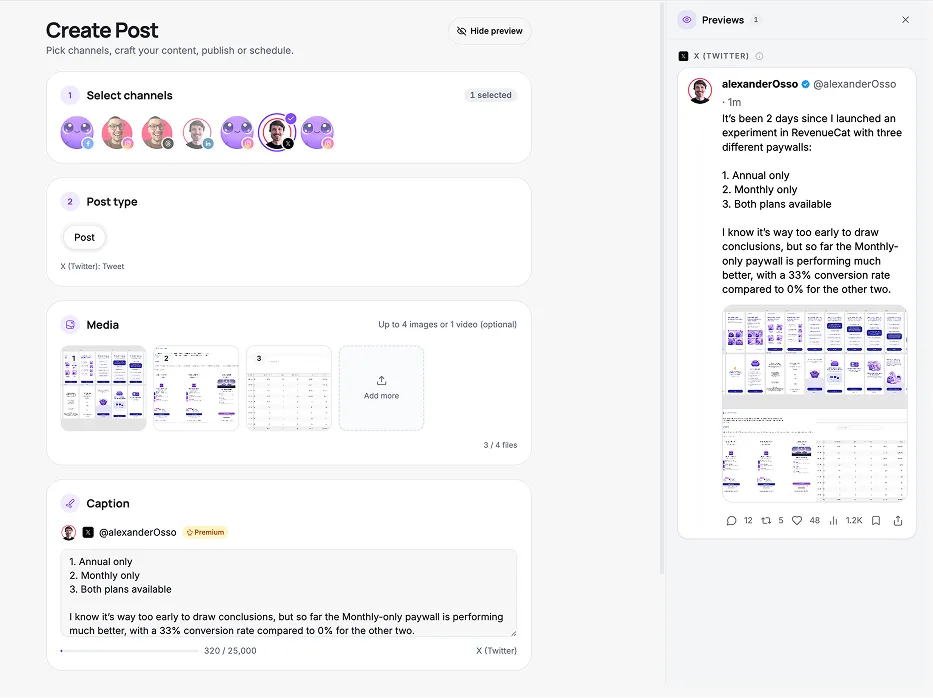
Attach up to 4 images or a video and preview your post before it ships.
Stay consistent
Keep a steady cadence on X with a calendar full of posts ready to go.
Track engagement
See how your posts perform and lean into what resonates.
Built for the way you post on X
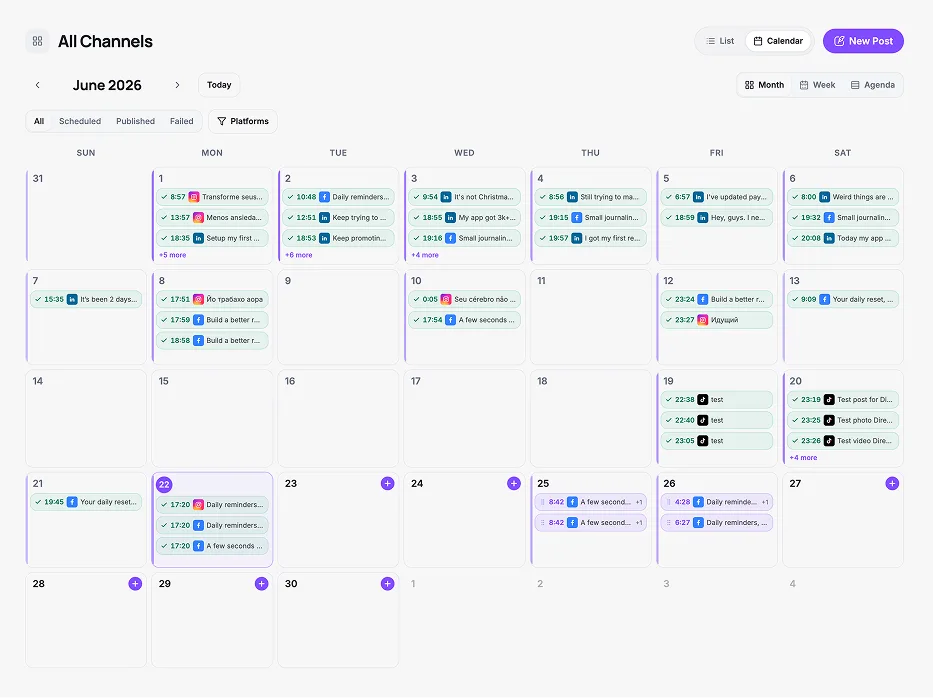
A calendar for your timeline
Plan a week of posts at once and reschedule any of them with a simple drag.
Posts with media, done right
Add up to 4 images or a single video and PosteAhora formats it to X’s specs.
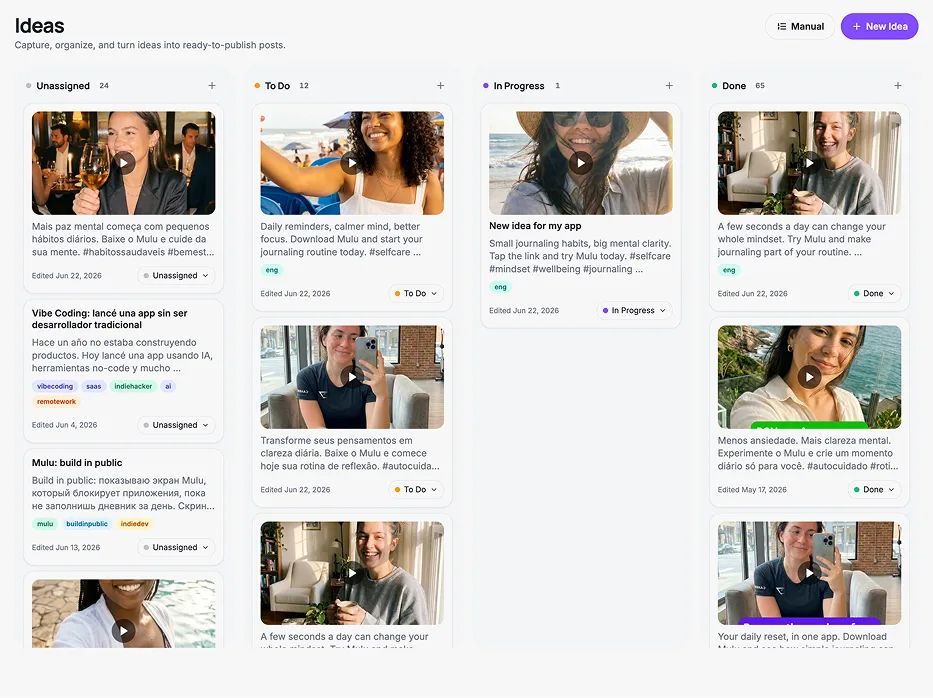
Never run out of things to say
Collect post ideas on your board and promote the best into scheduled posts.
Start posting to X in three steps
Connect your X account
Securely link X in a couple of clicks with official OAuth — no passwords stored.
Compose once
Write your caption, add media and preview exactly how it will look on X before it goes live.
Schedule & autopublish
Pick a time and PosteAhora publishes automatically — or sends a reminder when a format needs a manual push.
Supported platforms
Create content once and publish across your connected social networks.











X scheduling, answered
Put your X on autopilot
Join the creators and teams scheduling smarter with PosteAhora.
- 7-day trial
- Cancel anytime