 ChatGPT
 Claude
 Perplexity
 Google AI
One Developer's AI Content Pipeline: From Trend to Scheduled Post Without Touching Five Apps

Most "content automation" systems solve one step: they generate text, or they schedule posts, or they do trend research. Robin Sadeghpour built all four steps as a single pipeline with Claude Code, open-sourced the entire repository (content-workflow on GitHub), and runs it himself every morning to produce content for LinkedIn, TikTok (English and German), and Instagram.
The interesting part isn't that it uses AI to write — everyone does that now. It's that the system closes the loop: it detects what's working, decides what's worth turning into content, generates and adapts it per platform, and uses the real performance of what got published to adjust what it prioritizes next time. All with a human approving before anything hits production.
The four commands that build the day
The pipeline runs as four Claude Code skills, in order, most of it in a single morning batch:
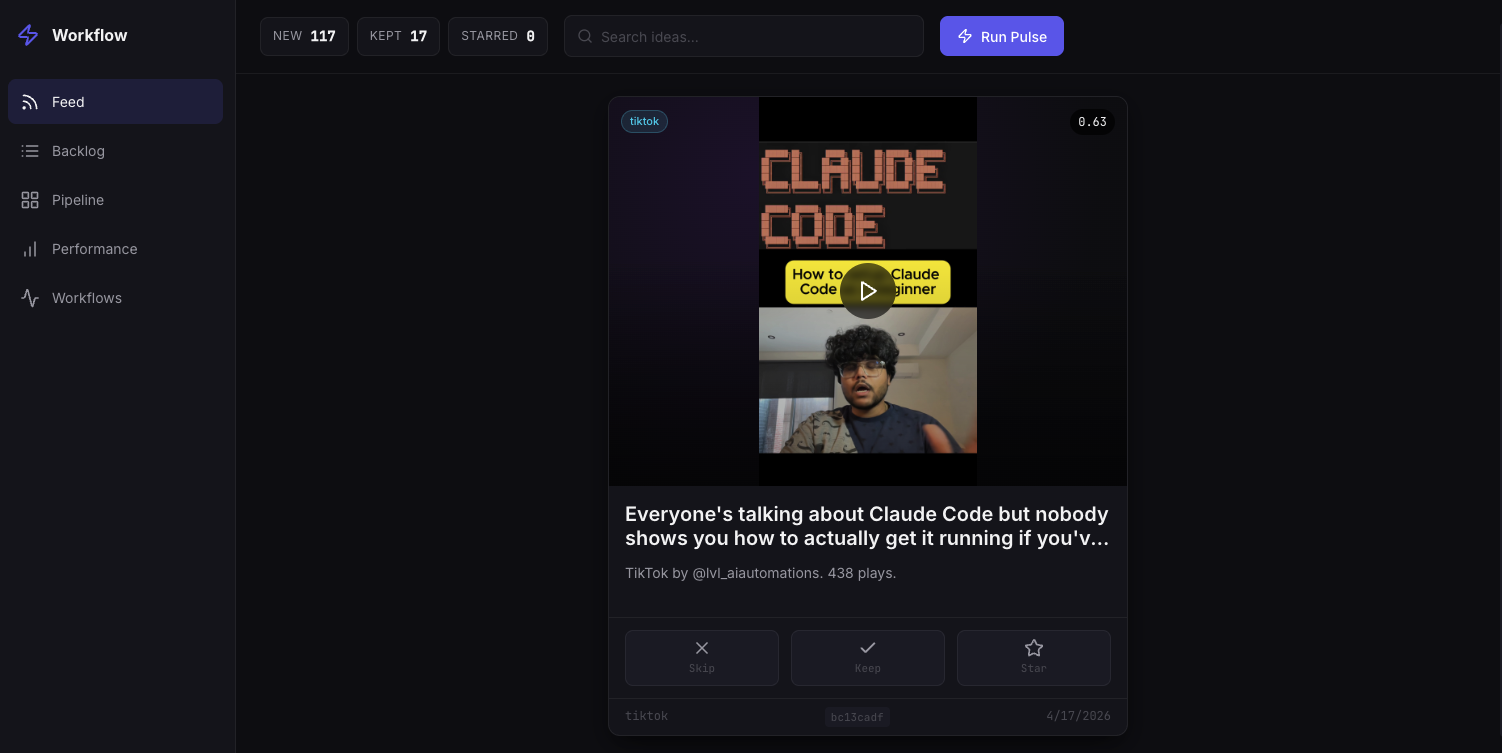
/pulse— fires on its own at 6 AM Berlin time via a Node cron-daemon. Scrapes YouTube, X/Twitter, TikTok, and Anthropic's changelogs for trending AI/tech topics, scores them, deduplicates, and for videos, pulls the transcript. Everything lands in a SQLite database (data/content.db) and a dated review file./review— a manual pass where Robin marks each idea KEEP, SKIP, or STAR right in the terminal./generate-content— for every KEPT idea, produces a draft for TikTok EN, TikTok DE, Instagram, and LinkedIn. Applies Robin's voice profile, runs a "humanizer" pass so it doesn't read as AI, and a critic agent scores each draft before showing it./approve— final review: shows the before/after humanizer diff and the voice score per platform. That's where you approve, reject, or hand-edit. Only approved drafts get scheduled.
The detail that keeps this from being "just another bot posting on its own"
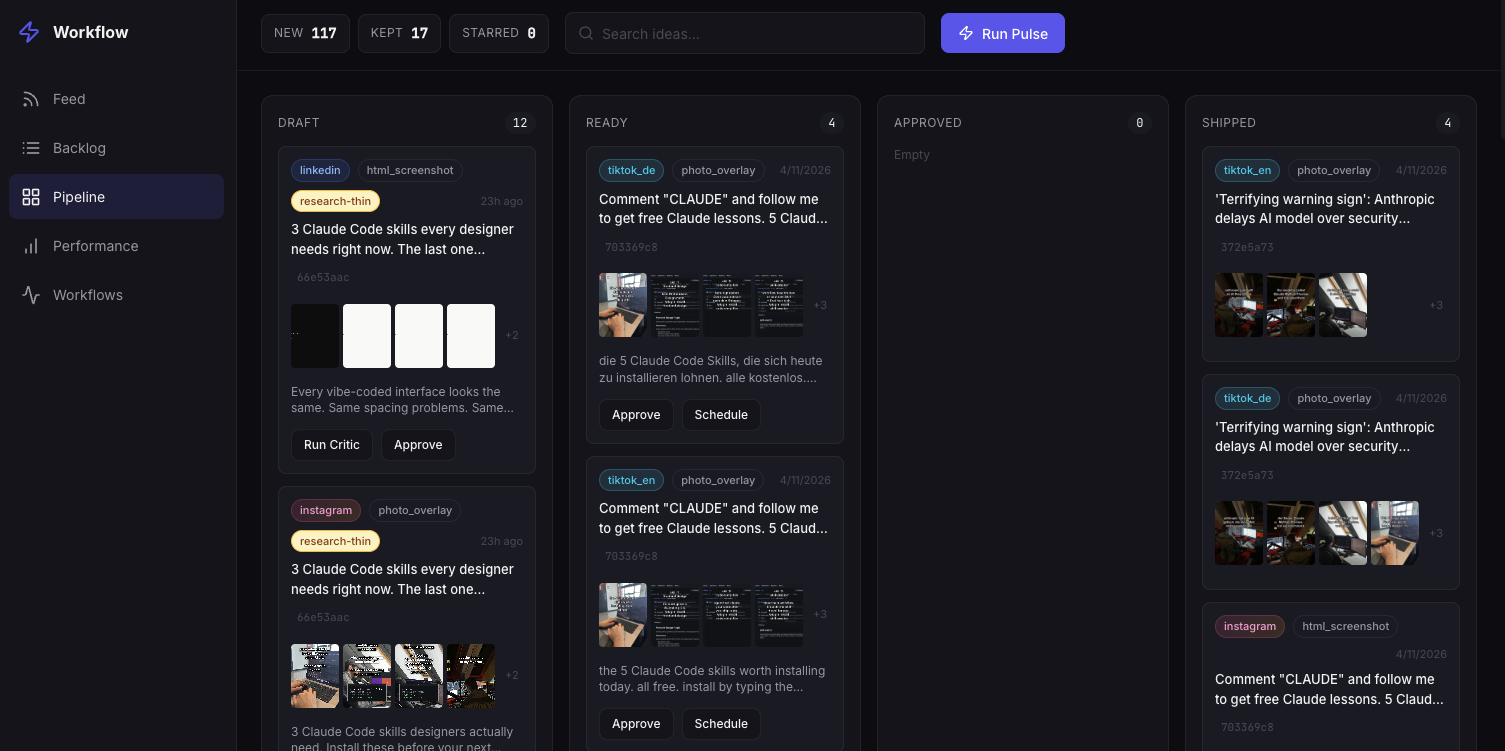
Every step is tracked as a state in a drafts table, with explicit transitions: generated → critic_approved → user-approved → scheduled → published → tracked. No draft skips a step — the code literally rejects an invalid transition (you can't schedule something the critic hasn't approved yet, for instance). It's a simple state machine, but it's what stops "automated" from quietly turning into "publishes whatever, unreviewed."
The loop that feeds itself
Every day at 8 PM Berlin time, an end-of-day job called perf-check walks through posts scheduled or published in the last 24 hours, pulls their real metrics, and updates a "performance weights" file (data/performance-weights.json) that weighs by topic and format. The next /pulse run uses those weights to decide what to prioritize in discovery. Robin doesn't touch anything — the loop closes itself, on real data about what converted, not a hunch.
A local dashboard so you don't live in the terminal
The whole pipeline also has a local web UI (node scripts/dashboard/server.js, at localhost:3456) with four views: Feed (one idea at a time, swipe-style), Backlog (a filterable table of everything /pulse scraped), Pipeline (the kanban above), and a detail drawer that shows each slide's native preview before approval.
What the scheduling piece looks like with PosteAhora
The repository uses a command-line social scheduling API for the last step: once a draft is approved, the script assembles the content, resolves the target account's ID from a config file, and fires off the scheduled post creation — getting back an ID that's stored alongside the draft so its metrics can be looked up later. That's exactly the right shape for an agent talking to a scheduling API: no loose credentials scattered through the code, an explicit target account, and an ID handed back for tracking.
That same pattern is built today with PosteAhora without writing your own HTTP client:
list_accountsto resolve the realaccountIdfor the target account (TikTok, LinkedIn, Instagram, whatever applies) — the same job as the pipeline's "resolve ID from config" step.create_postorschedule_postwith thataccountId, the already-generated and humanizedcaption, andmediaUrlspointing at the already-uploaded images — withstatus: "draft"while the critic or a human hasn't approved yet, and scheduled once they have.get_analyticsfor the same jobperf-checkdoes: pull the real performance of what got published and use it to decide what to prioritize next.
The difference from building this from scratch is that all three pieces — accounts, post creation, analytics — are already exposed through a single MCP, so an agent (the same one already doing your research or content generation) can talk to PosteAhora directly instead of maintaining its own CLI wrapper for every platform.
What's worth copying even if you don't replicate the whole system
You don't need to build all four stages to get value from this. The most portable ideas:
- A "humanizing" step separate from generation. Generating and polishing voice are different jobs; treating them as one giant prompt gives worse results than chaining two steps with a clear objective each.
- An explicit state machine for drafts, even a simple one. It stops something from accidentally publishing before it's ready.
- Closing the loop with real data. If your system generates content but never looks back at what actually worked, it's guessing forever.
Why this matters for teams in Latin America
Robin's pipeline runs in English/German, but the architecture is entirely reusable for a brand or agency operating in Spanish or Portuguese: the same trend research, the same human approval step, the same feedback loop — pointed at whatever platforms and language your LATAM audience actually cares about. The only thing that changes is which API you talk to at the end, and that's exactly where PosteAhora drops in as a direct replacement for the pipeline's scheduling piece, without you having to rebuild the rest.
Does your team already have AI research or content generation running, but schedule everything by hand at the end? Connect PosteAhora and let the same agent that generates the content schedule it too.
Original system and repository by Robin Sadeghpour — full code at github.com/robinsadeghpour/content-workflow.