Connect ChatGPT to PosteAhora, step by step
Eight steps, about five minutes, on the ChatGPT website. The screenshots are from the English interface; menu names below match it.
Before you start
You need a PosteAhora account with at least one network connected, and a ChatGPT account on the web — the ChatGPT mobile apps cannot add custom MCP apps yet.
The connector URL is the same for every client: https://mcp.posteahora.com/mcp. It signs you in with your PosteAhora account — no API key to paste. Networks are connected in Connections first; the assistant can only reach what is connected there.
1. Turn on Developer mode
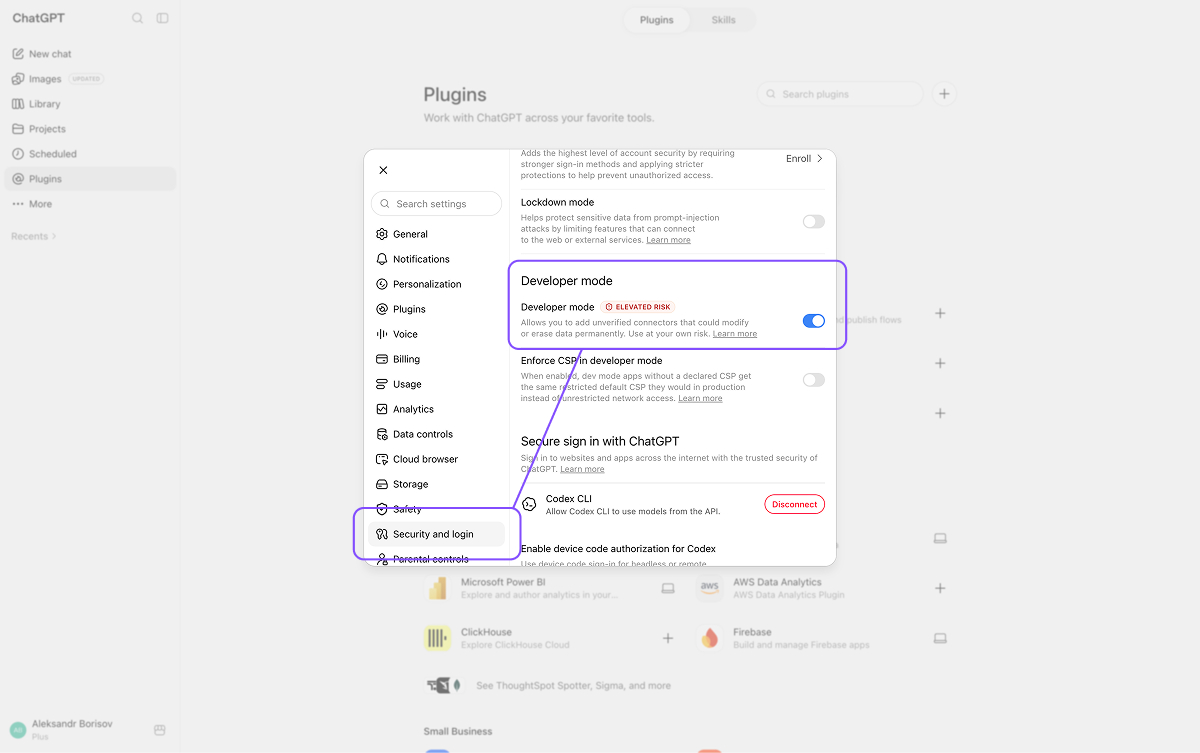
In ChatGPT open Settings → Security and login and switch on Developer mode (it is marked "Elevated risk"). This is what unlocks custom MCP plugins; without it there is nowhere to add a server.
Availability by plan is set by OpenAI and has changed more than once this year — the help centre article on Developer mode is the reference. In a Business or Enterprise workspace an admin enables it first.
2. Open Plugins and click +
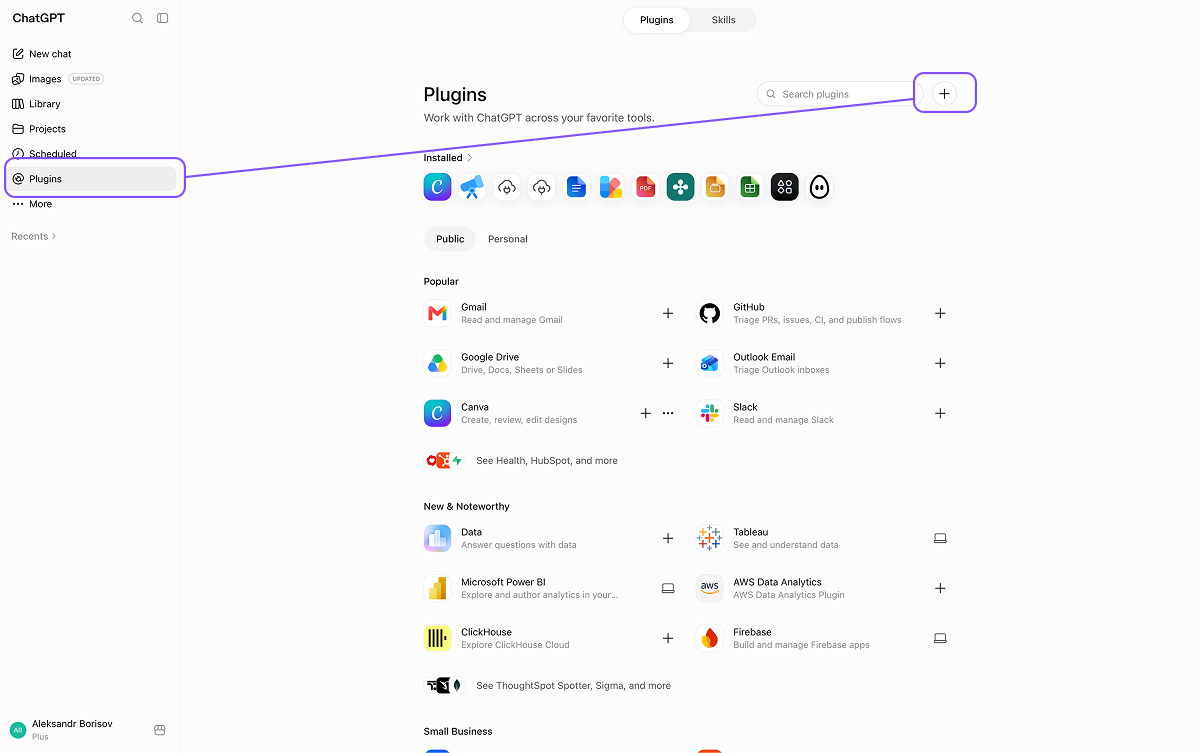
Choose Plugins in the left sidebar. Next to the search box there is a + button — it opens the New plugin form.
3. Fill in the plugin
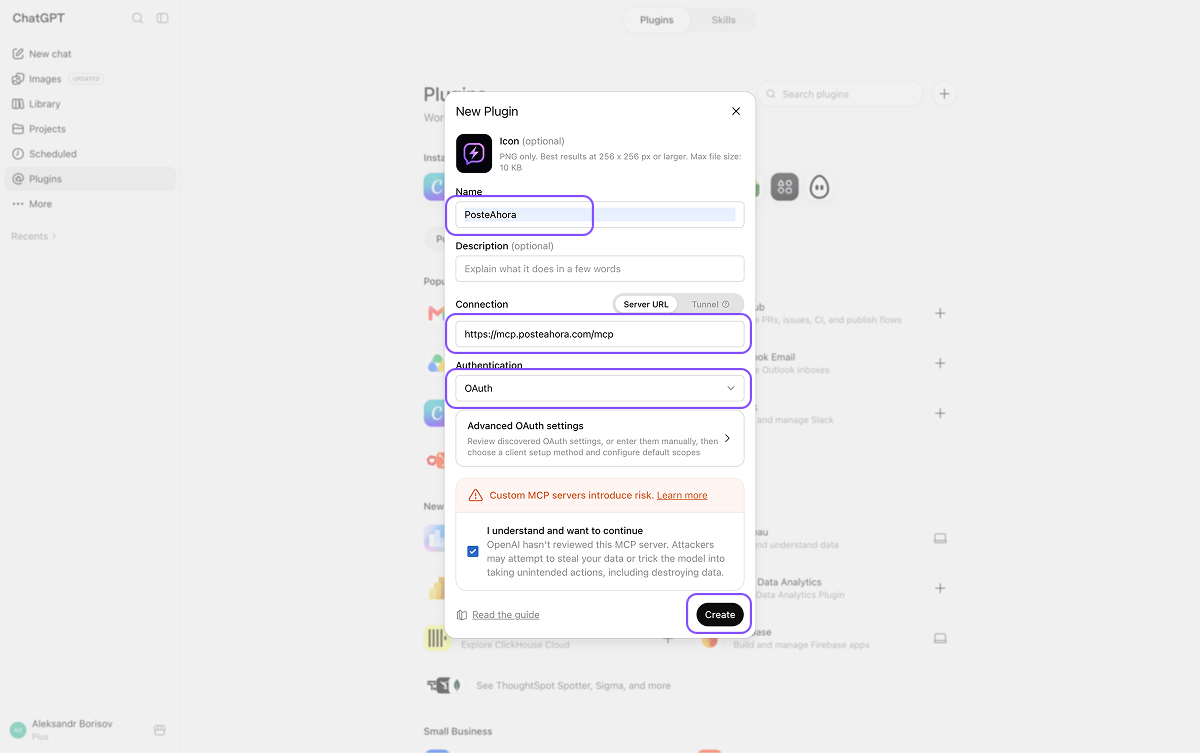
Name it PosteAhora, set Connection to Server URL, paste the connector URL, set Authentication to OAuth, tick "I understand and want to continue" and click Create. The icon and description are optional.
https://mcp.posteahora.com/mcp
Leave Advanced OAuth settings alone. ChatGPT registers itself with our server; there is nothing to enter there.
4. Sign in with PosteAhora
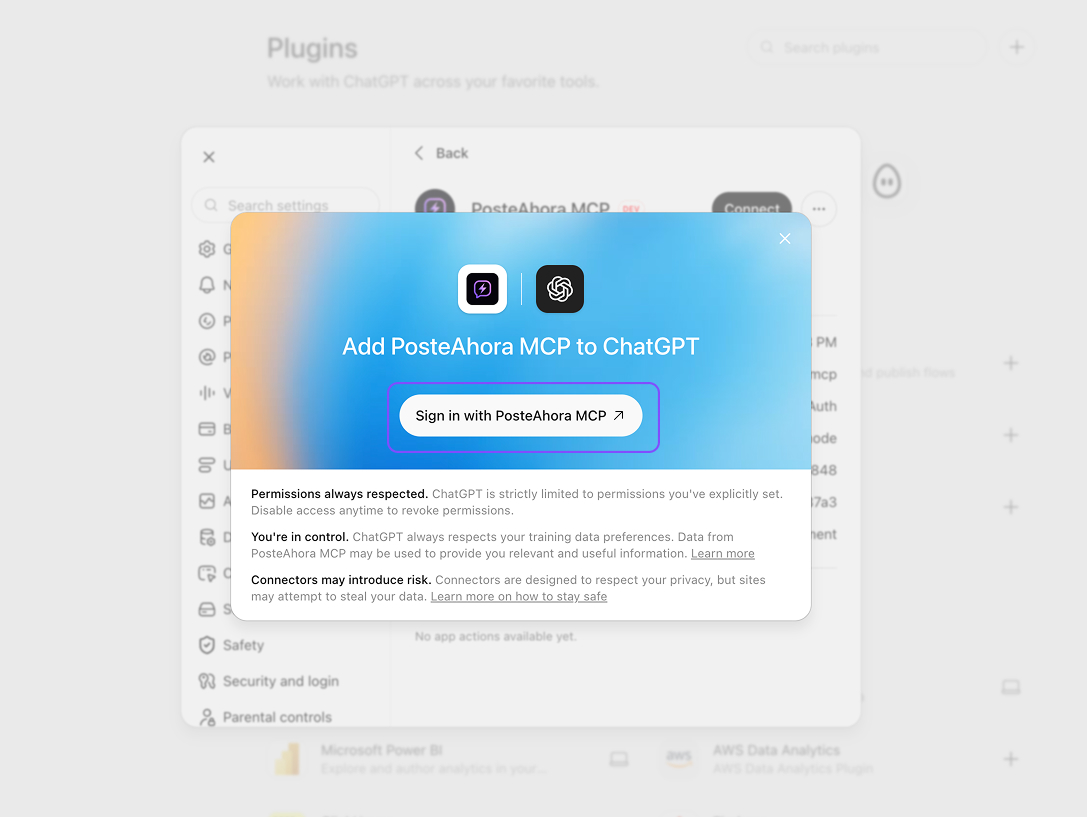
ChatGPT shows "Add PosteAhora MCP to ChatGPT". Click Sign in with PosteAhora MCP — it opens a PosteAhora page in a new window.
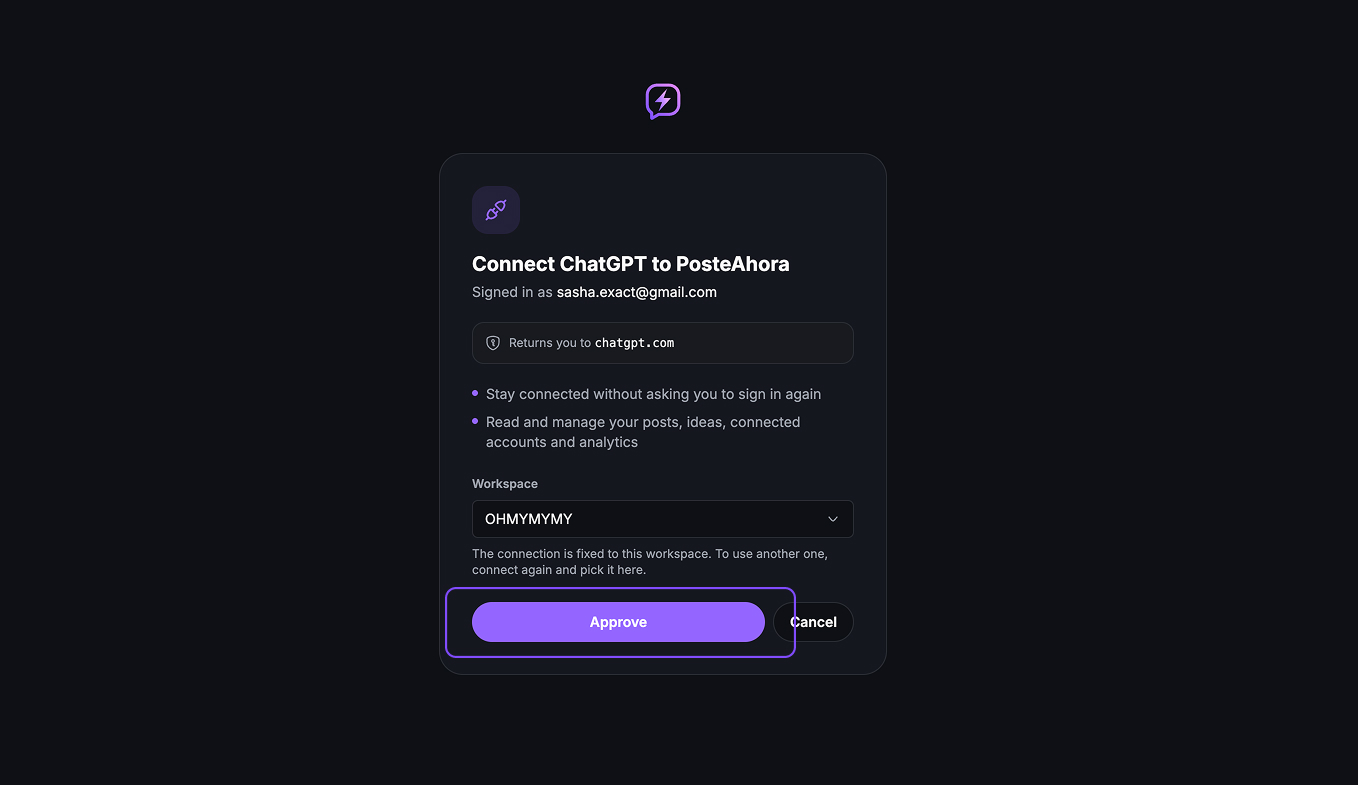
5. Pick a workspace and approve
The page shows who you are signed in as and what ChatGPT will be able to do — read and manage your posts, ideas, connected accounts and analytics. Choose the workspace it should work in and click Approve; you land back in ChatGPT.
The connection is fixed to that workspace. To work in another one, connect again and pick it there.
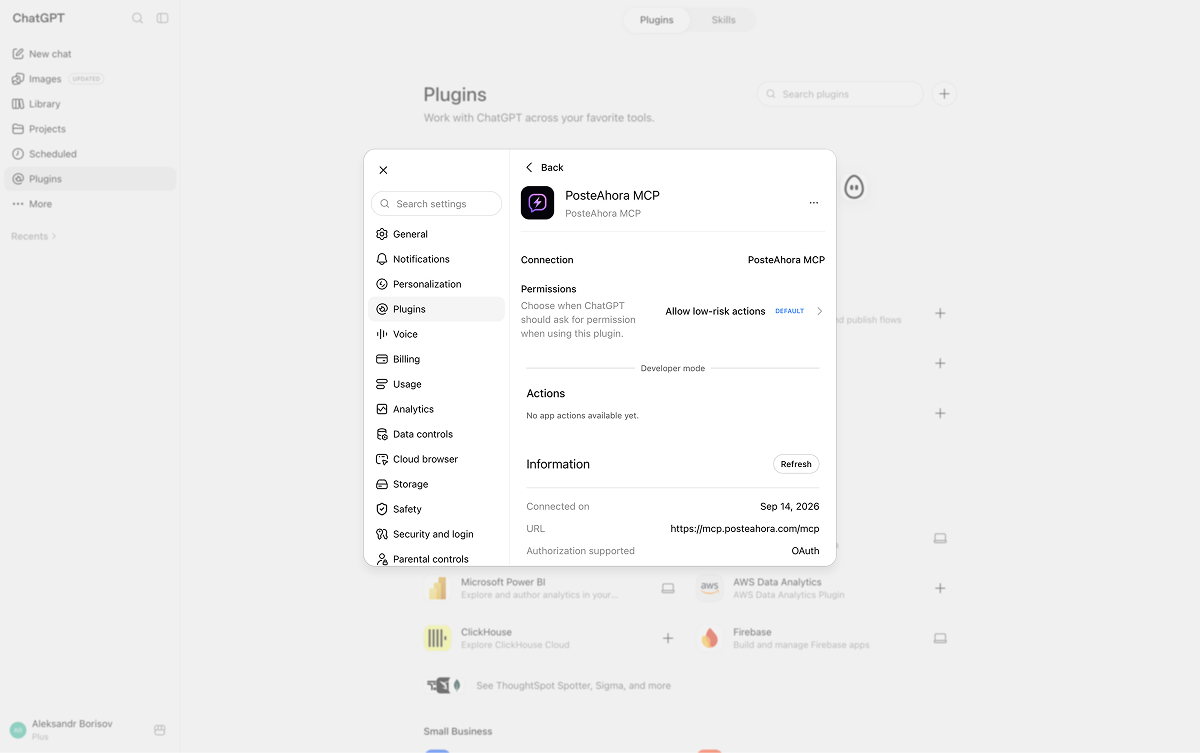
6. Check the connection
The plugin page now lists the connection, the permission level — "Allow low-risk actions" by default, change it here if you want to approve every action — and, under Information, the URL and OAuth. If Actions still reads "No app actions available yet", use the plugin once from a chat or press Refresh.
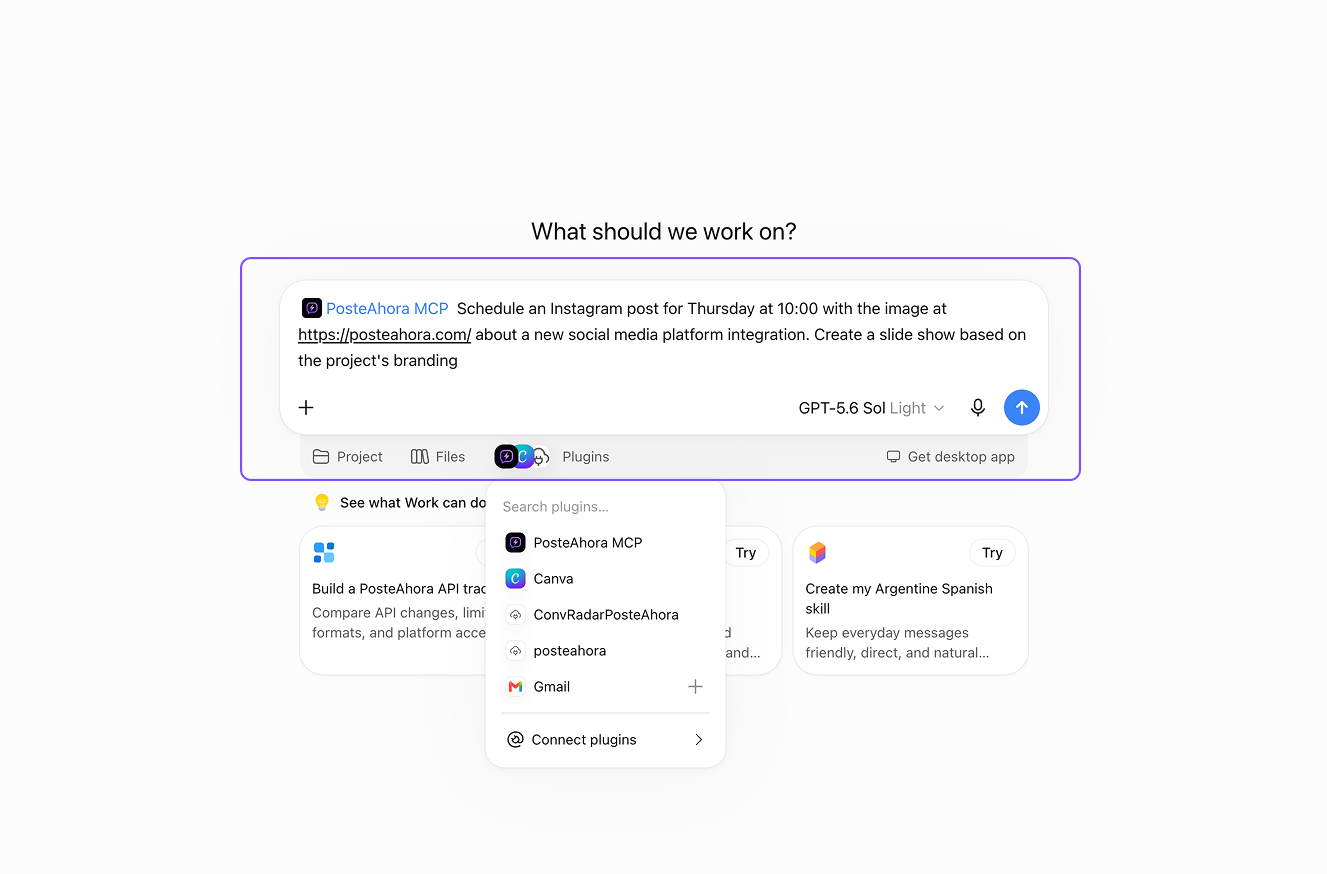
7. Ask for a post
In a new chat click Plugins under the composer, pick PosteAhora MCP, and describe the post and when it should go out. ChatGPT calls schedule_post; before an action that changes something outside the chat it shows an approval card, and the post is queued the moment you allow it.
Schedule an Instagram post for Thursday at 10:00 with the image at https://… and this caption: …
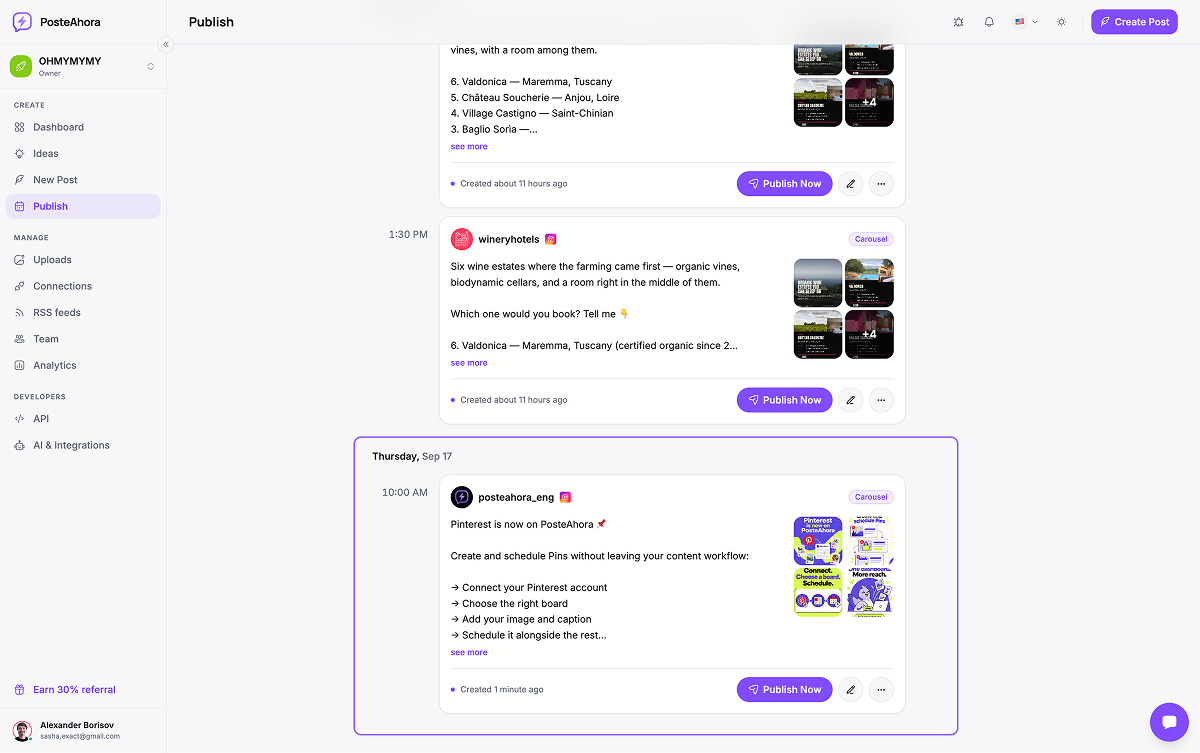
8. See it in your queue
Open Publish in PosteAhora: the post sits under Thursday at 10:00, marked scheduled, editable until it goes out. Nothing publishes early unless you asked to publish now.
What we checked
Last run on September 14, 2026. On 14 September 2026 we added the connector by exactly these steps, signed in, and scheduled a real post from the chat that landed in the PosteAhora calendar. The screenshots are from that session. ChatGPT's menus and plan rules are OpenAI's and move; when a step no longer matches, the vendor documentation linked at the bottom of the page is the one to trust, and tell us — we re-run the guide.
FAQ
Can ChatGPT post to Instagram on its own?
No. ChatGPT has no publishing rights on any social network; it needs a connector that does, and PosteAhora is that connector. You connect Instagram (a professional account — Business or Creator, which is what Instagram's API requires), X, LinkedIn and the others in PosteAhora once, and ChatGPT publishes through those connections. It never sees the network passwords, only the tools we expose.
Which ChatGPT plan do I need to add a custom MCP app?
Custom MCP apps live behind ChatGPT's Developer mode. OpenAI's help centre lists full MCP support — including write actions such as scheduling a post — for Business, Enterprise and Edu workspaces, where an admin enables Developer mode first, and read-only custom apps for Pro. Availability is OpenAI's to change and has moved several times this year, so check the current article before you decide; whatever the plan, it is web only — the ChatGPT mobile apps cannot add custom MCP apps.
Is this an official ChatGPT plugin?
No, and it does not need to be. PosteAhora is a standard MCP server, the open protocol ChatGPT, Claude, Perplexity and the coding assistants all use for custom tools. You add it as a custom app with its URL; nothing is installed from a store, and the same URL works in the other assistants.
Will ChatGPT publish something I did not approve?
Only if you ask it to publish now. Ask it to schedule and the post waits in your PosteAhora queue, where you can edit or delete it before it goes out. ChatGPT also shows an approval card before an action that changes something outside the chat, and you can set that to always ask on the plugin's page under Settings → Plugins → PosteAhora → Permissions.
How do I add an image to a post from ChatGPT?
Give it a public URL, or upload the file in PosteAhora first and refer to it. The connector runs on our servers, so it cannot read a file from your computer, and a path from inside ChatGPT's own sandbox is rejected with a message that says what to send instead. An image ChatGPT generated in the conversation can be sent inline as data.
Can I use it in a Project or a custom GPT?
It works wherever the app is available to the conversation. Which surfaces get custom apps — Projects, custom GPTs, agent mode, deep research — is OpenAI's call and has changed several times; at the time of writing deep research can use custom apps for reading only, and agent mode does not use them. Check OpenAI's Apps article for the current list.
What does it cost?
ChatGPT is billed by OpenAI. On our side there is a 7-day trial for $0 with a card on file, then a flat monthly or yearly price by plan, with the connector included. Every plan has unlimited posts; what varies is how many social accounts you can connect.
Marketing version of this guide, with what the integration is for: /mcp/chatgpt. Every client that speaks MCP is listed on /mcp.